Guest Post by BEACON India – Author: Samarsinh Madhavrao Khanvilkar, Application Engineer
This enhancement is applicable to SOLIDWORKS Design Standard/Professional/Premium.
Index
- Install multiple versions of SOLIDWORKS Design (Named User Licence)
- AI-powered prompt-guided drawing generation (beta)
- AI-powered what’s wrong analysis (beta)
- AI-powered assembly structure generator (beta)
- New content explorer app to boost productivity
- Link PLM attributes to BOM columns
- Detailing using ordinate dimensions in 3D
Install multiple versions of SOLIDWORKS Design (Named User Licence)
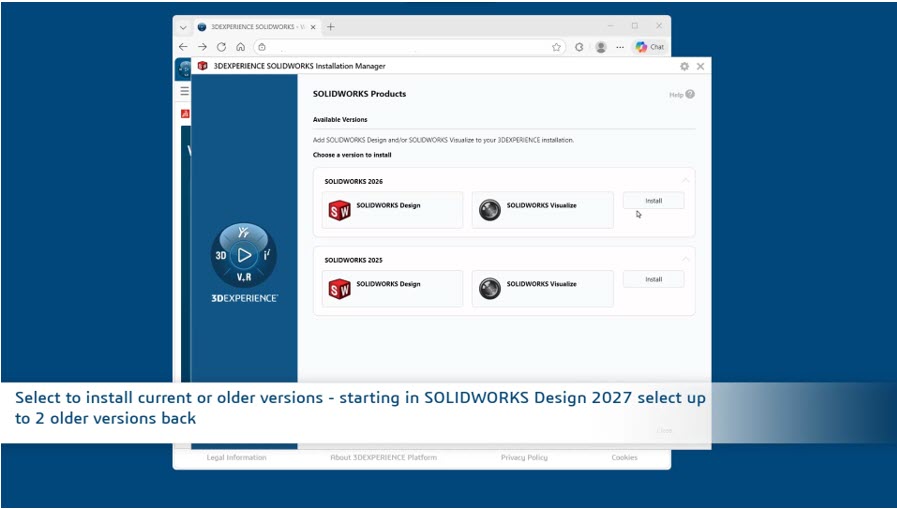
Installing multiple versions of SOLIDWORKS Design allows you to collaborate more efficiently with partners or clients who may be utilizing different release cycles. This flexibility ensures seamless file sharing and project synchronization across various environments.
With the latest updates, you can quickly create desktop shortcuts and modify your existing installations with ease. Starting in SOLIDWORKS Design 2026, users will have the direct option to install the 2025 version. Looking ahead to SOLIDWORKS Design 2027 and beyond, this capability expands even further, allowing you to install and manage the two previous versions simultaneously.
AI-powered Prompt-guided Drawing Generation (Beta)
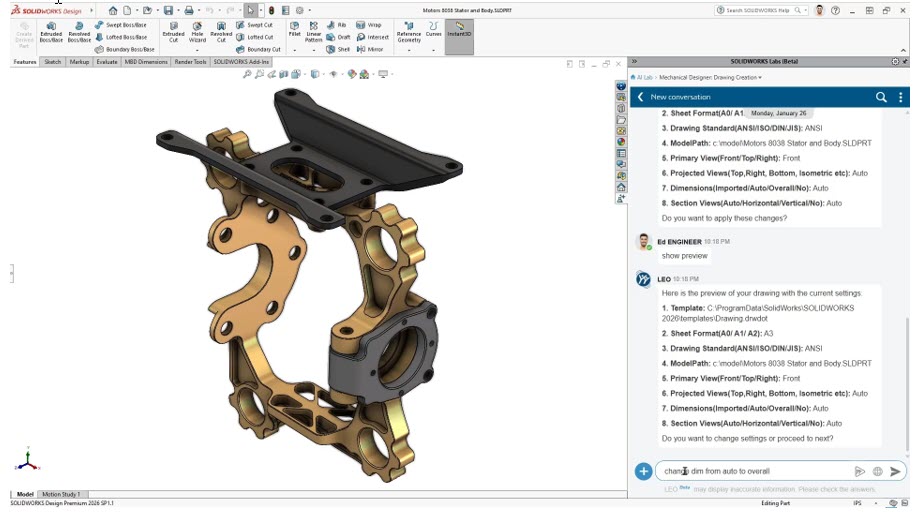
Leverage the power of AI to generate professional drawings faster than ever before. Following last year’s introduction of generative drawings, we listened to your feedback regarding the need for more granular control. You can now collaborate directly with LEO, your new design virtual companion, to define specific technical parameters before any drawing is finalized.
This update moves beyond a ‘one-size-fits-all’ approach, allowing you to establish custom templates and organizational standards from the start. Simply select your primary view and use interactive prompts to refine the preview in real-time. Once the layout aligns with your vision, generate the final drawing and save it directly to your preferred location. The result is a high-quality output that reflects your exact intent and requirements—completely bypassing the burden of traditional manual setup.
AI-powered What’s Wrong Analysis (Beta)
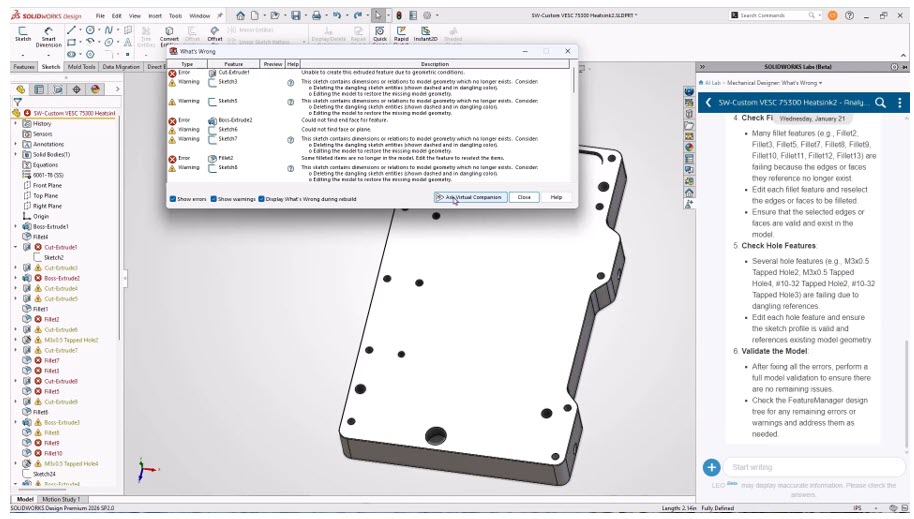
Accelerate your workflow by resolving complex part model errors with AI-guided root-cause analysis. Instead of manually sorting through a long list of cascading warnings, this tool allows you to instantly pinpoint the specific feature or constraint that actually failed.
By interacting directly with LEO, your virtual design companion, you receive clear, actionable guidance on the most effective ways to resolve these issues. This intelligent diagnostic approach eliminates the guesswork, providing you with a streamlined path to a healthy model without the frustration of traditional, trial-and-error troubleshooting.
AI-powered Assembly Structure Generator (Beta)
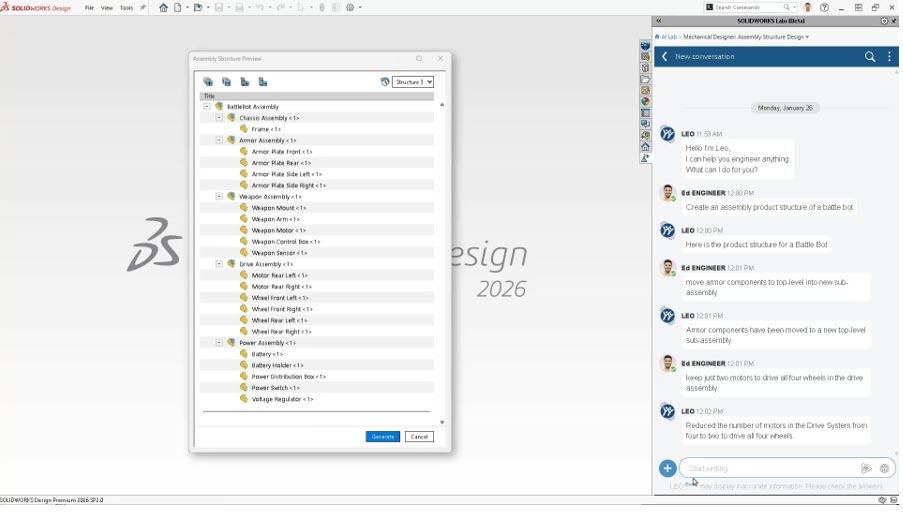
Directly engage with your virtual companion, LEO, to generate a comprehensive assembly structure from a single, simple prompt. This tool provides a robust starting point by automatically building a blank assembly hierarchy, ensuring you never have to manually set up a complex project from zero. Through an iterative process, you can use follow-up prompts to refine this skeleton structure until it perfectly aligns with your design intent. Whether you need to remove or replace specific components, adjust the sub-assembly levels, or reorganize the tree, LEO adapts to your feedback in real-time. Once the structure meets your requirements, you can instantly generate the entire project as a set of empty SOLIDWORKS assembly and part files, ready for you to begin detailed modelling.
New content explorer app to boost productivity
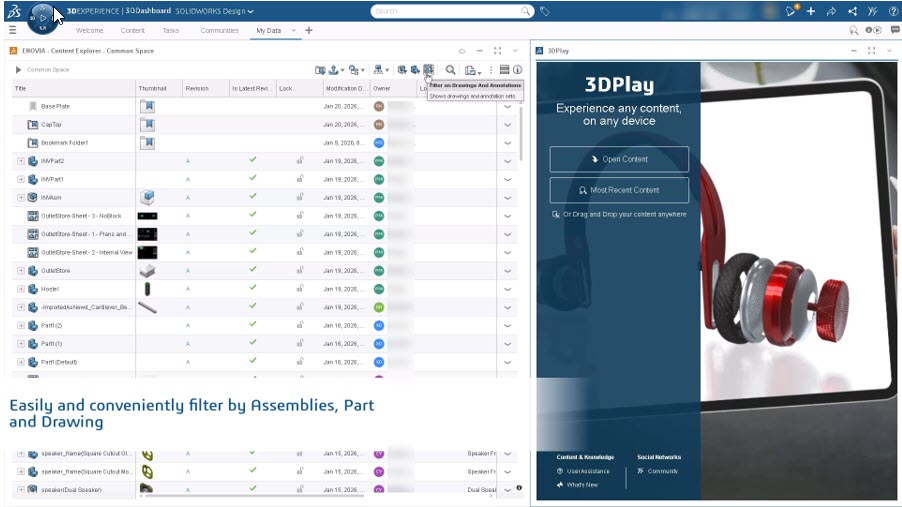
Simplify your content discovery and management using the new Content Explorer, which provides SOLIDWORKS users with a familiar, Windows Explorer-style interface. This intuitive environment allows you to quickly locate, organize, and share platform-hosted content without a steep learning curve.
By leveraging a layout that mirrors your standard desktop experience, you can navigate complex project data more efficiently. Whether you are searching for specific components or managing large datasets, Content Explorer ensures that finding and distributing your work remains seamless, keeping your focus on design rather than data retrieval.
Link PLM attributes to BOM columns
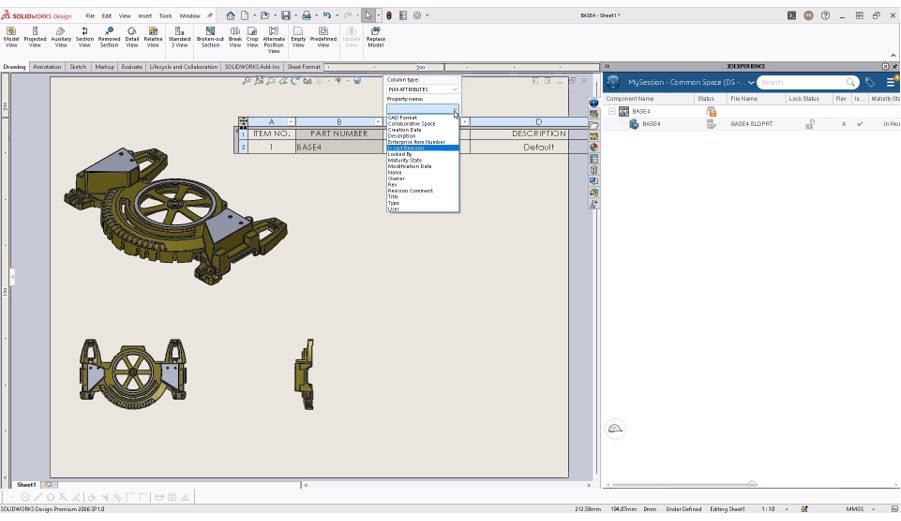
Ensure maximum accuracy and data consistency by directly linking your Bill of Materials (BOM) to centralized platform attributes, empowering your team to make more reliable product decisions. This update allows you to map specific PLM attributes directly to BOM columns, which then synchronize automatically whenever you connect to the 3DEXPERIENCE platform.
By establishing this live link, you eliminate the risks associated with manual data entry and outdated spreadsheets. Your BOMs will reflect real-time metadata changes, ensuring that every stakeholder—from engineering to procurement—is working with the most current information throughout the entire product lifecycle.
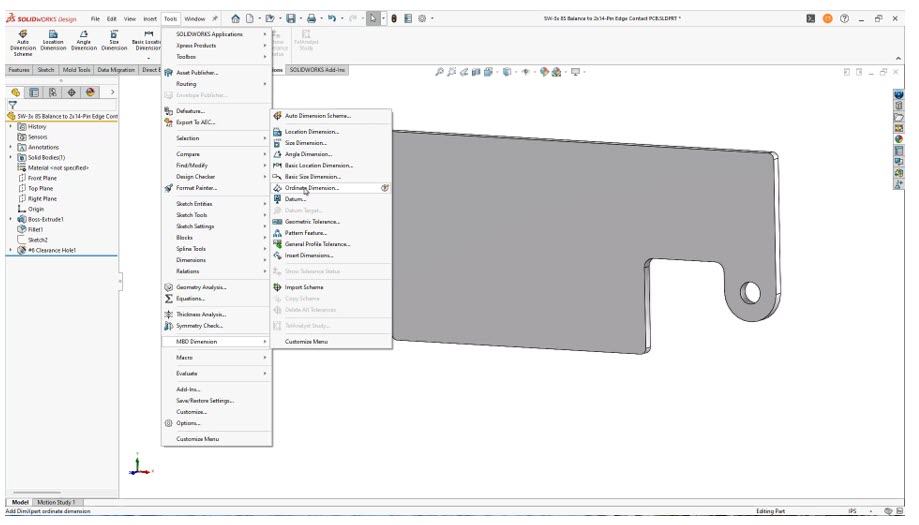
Detailing using ordinate dimensions in 3D
Improve communication with your manufacturing teams by taking advantage of enhanced dimensioning flexibility, which now includes the option to create ordinate dimensions directly in 3D. This capability allows you to define complex part geometries more clearly within the 3D environment, reducing the potential for interpretation errors on the shop floor.
Guest Post by BEACON India – Author: Samarsinh Madhavrao Khanvilkar, Application Engineer