Guest Post by Vishvajeet Shinde, Application Engineer, BEACON India
DriveWorks: Design Automation for SOLIDWORKS
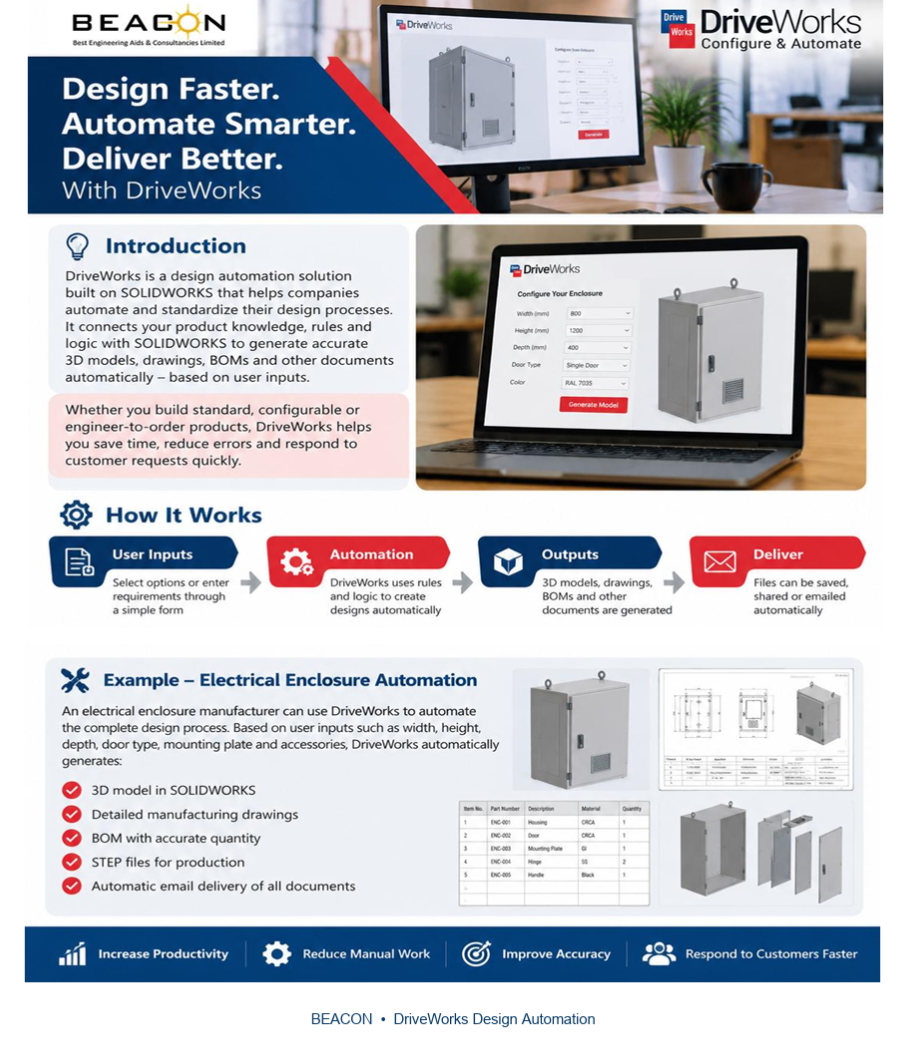
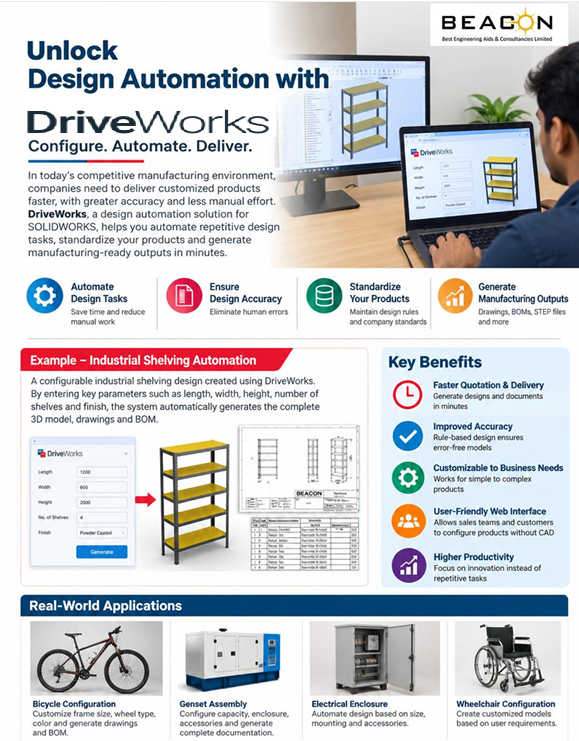
In today’s competitive manufacturing environment, customers expect tailored products, quick quotations and reliable documentation. Engineering teams need ways to manage product variations without repeating the same modelling and drafting work for every order. DriveWorks is a design automation solution that works with SOLIDWORKS to help automate repetitive design tasks using defined rules, tables and product knowledge.
Once the design logic has been configured, it can be reused to create product variants more consistently. DriveWorks can support standard, configurable and engineer-to-order products. By capturing the rules that govern a product, teams can let users select options such as dimensions, materials, finishes and accessories, while the automation applies the appropriate design logic.
How DriveWorks Works
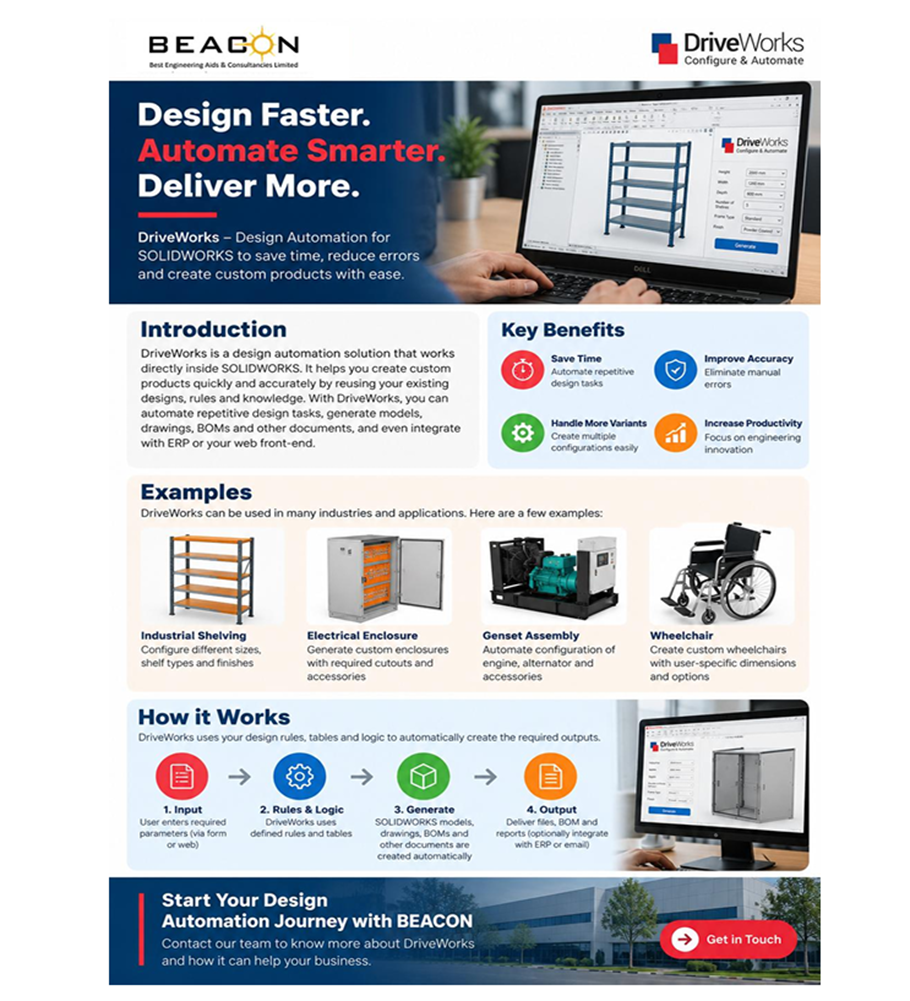
• 1. Capture user inputs — A user enters the required product parameters through a form or, where configured, a web interface.
• 2. Apply rules and logic — DriveWorks uses tables, conditions and established product rules to determine the correct configuration.
• 3. Generate design outputs — The configured process can drive SOLIDWORKS to create the required model and associated documentation.
• 4. Deliver the result — Depending on the implementation, files can be saved, shared or delivered through an integrated workflow.
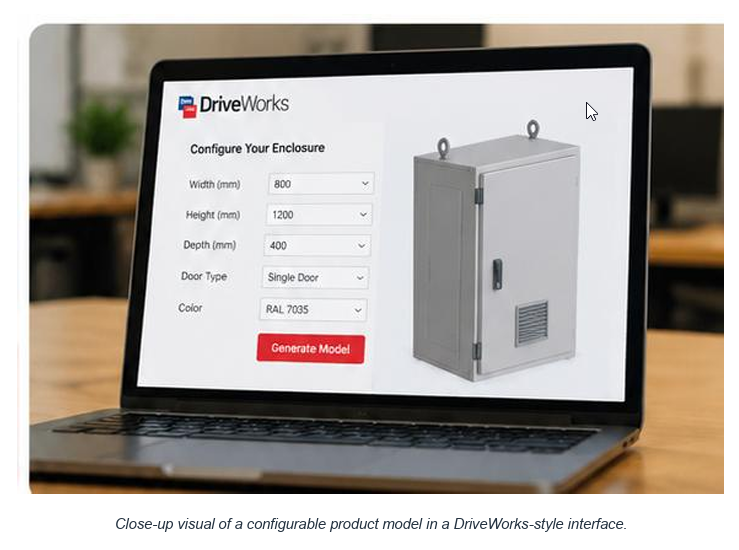
Example: Electrical Enclosure Automation
Consider a manufacturer producing electrical enclosures in multiple sizes and configurations. A sales or engineering user selects the required width, height, depth, door style, mounting plate and accessories. With the product rules established in advance, DriveWorks can help generate the corresponding SOLIDWORKS model and related documents. Depending on the project scope, outputs may include 3D models, manufacturing drawings, bills of materials (BOMs), STEP files and other supporting documents.
The result is a repeatable workflow that reduces the need to rebuild similar designs manually and helps keep the model and its supporting documentation aligned with the selected configuration. The exact outputs and delivery steps depend on how the DriveWorks project is configured.
Where Design Automation
Can Be Applied DriveWorks can be used for many configurable products, including industrial shelving, electrical enclosures, genset assemblies, bicycles, wheelchairs and other products with repeatable rules and selectable options. These are examples of possible applications; suitability depends on each product’s design logic and business requirements.
Key Benefits
• Save engineering time: Automate repetitive modelling and documentation tasks.
• Improve consistency: Apply defined design rules and standards across product variants.
• Support customization: Configure products using controlled parameters and options.
• Help reduce manual errors: Use established rules to reduce repeated manual data entry and modelling.
• Respond to customers faster: Help teams prepare designs and related documents more efficiently.
Transform Your Engineering Process with BEACON Design automation can help engineering teams spend less time on repetitive work and more time on product development and customer needs. If your business manages many product variants or repeatedly creates similar SOLIDWORKS models and documents, DriveWorks may be worth exploring.
Contact BEACON to discuss your requirements or request a DriveWorks demonstration.
Guest Post by Vishvajeet Shinde, Application Engineer, BEACON India