Guest post by BEACON India (SOLIDWORKS VAR India)
4. Drawings and Documentation
- Custom General Tolerance Tables
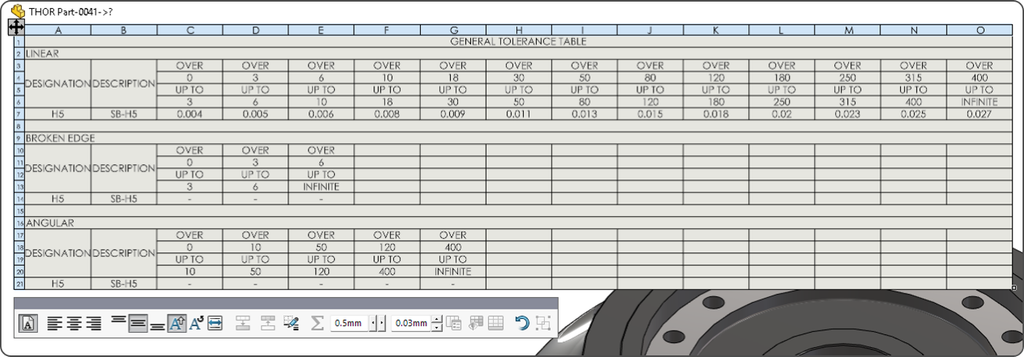
SOLIDWORKS now recognizes additional rows and columns in the General Tolerance Excel file. This allows DimXpert general tolerances to better accommodate company-specific requirements and industry standards with more dimensional ranges.
- Open Components in the Referenced Display State
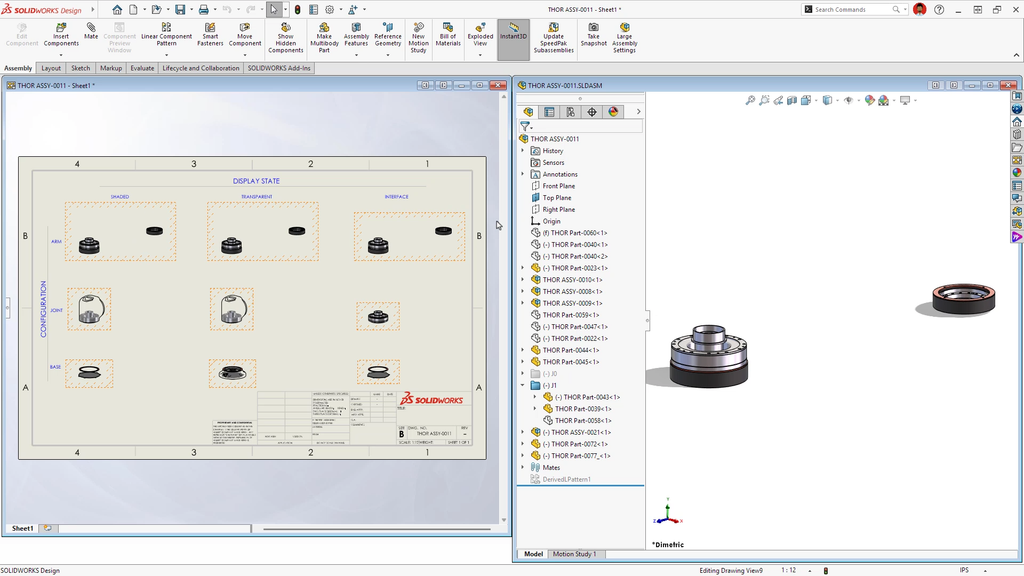
Opening a component or assembly now respects its referenced display state as well as its configuration. This helps ensure that the opened model matches the appearance, visibility, and suppression state shown in the assembly or drawing.
- Improved Family Tables
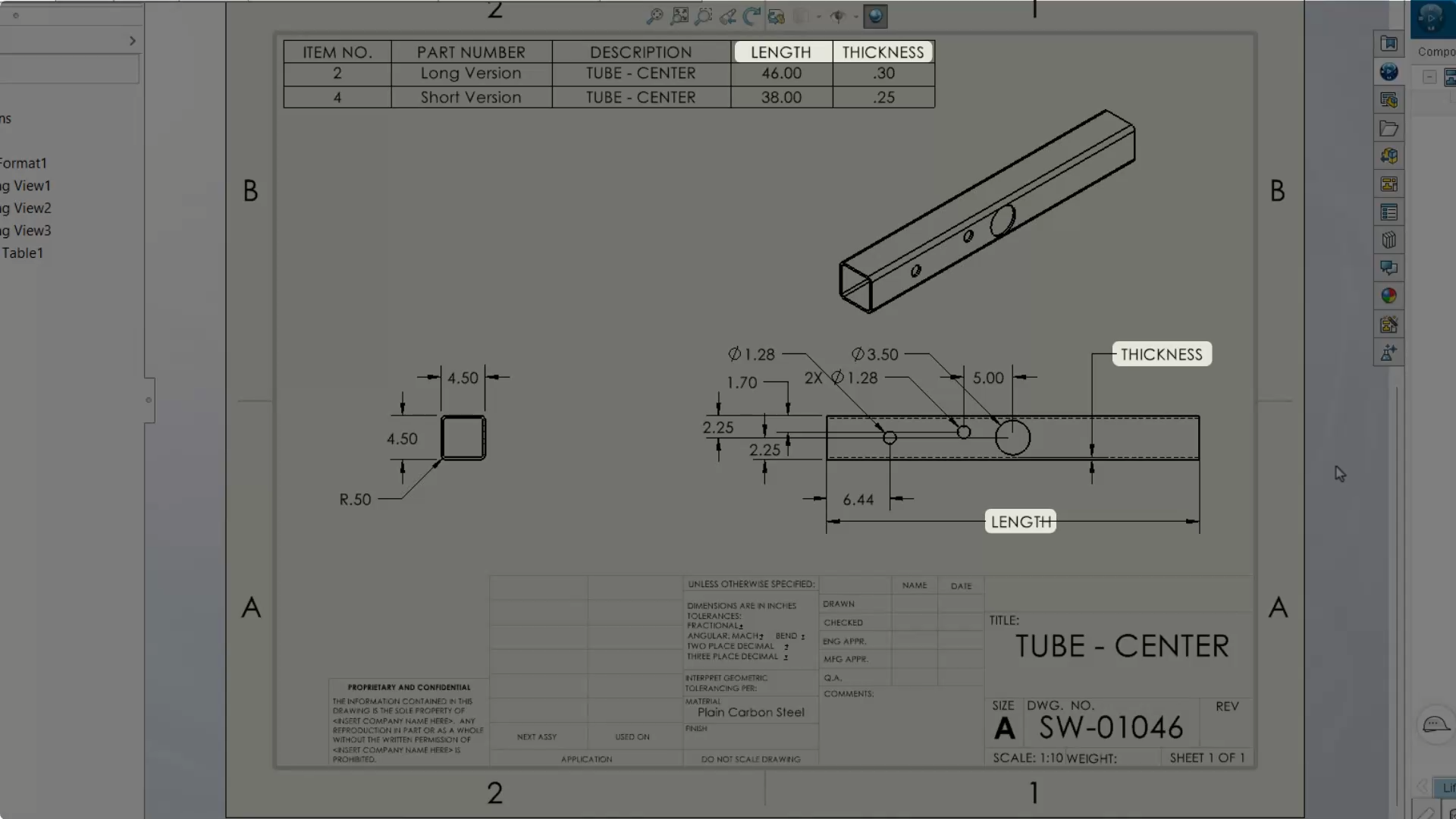
Linked dimensions that vary across configurations can be displayed under a common name, with the family table title automatically reflected in drawings when the naming option is enabled. A checkbox also simplifies the inclusion of derived configurations and representations.
5. Collaboration
- Maturity-Based Revision Management
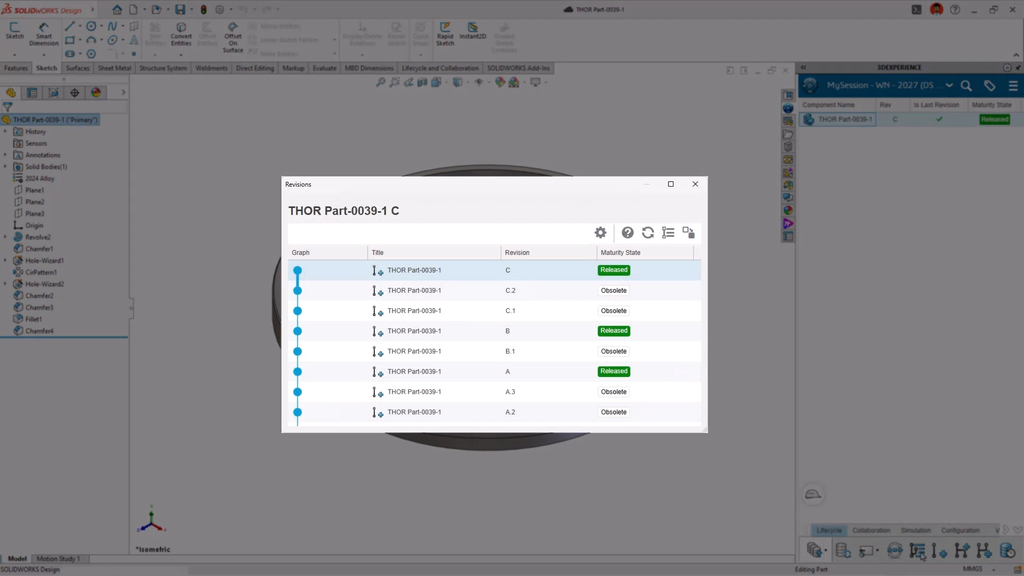
Separate working revisions from released design states more effectively. When an object reaches the release maturity state, older intermediate revisions can automatically move to Obsolete while only the latest secondary revision is released. This improves revision clarity and helps downstream teams use the appropriate approved design.
- SOLIDWORKS as a Conversion Engine
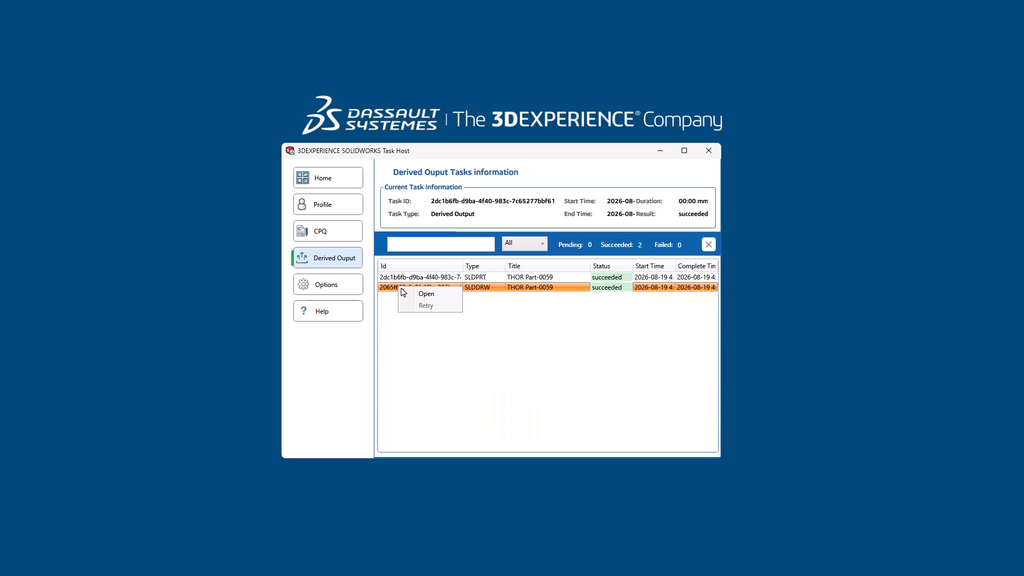
Use your own SOLIDWORKS installation as an external processing resource for platform-managed conversions. Derived outputs can be generated automatically on save, status change, or on demand, without consuming cloud conversion credits. The workflow also helps preserve source-model fidelity, including drawing annotations, notes, and title-block date information.
- Map Legacy Materials
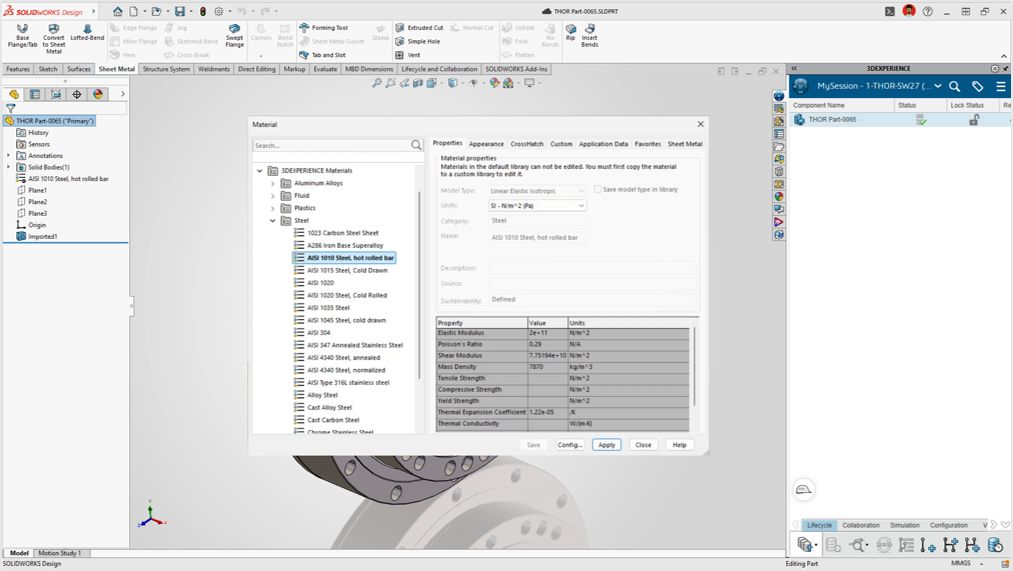
Simplify migration by mapping legacy material definitions to the appropriate materials in the target environment. This reduces manual reassignment and helps maintain consistent material associations for downstream simulation and platform applications.
6. SOLIDWORKS Visualize
- Non-Uniform Volumetrics
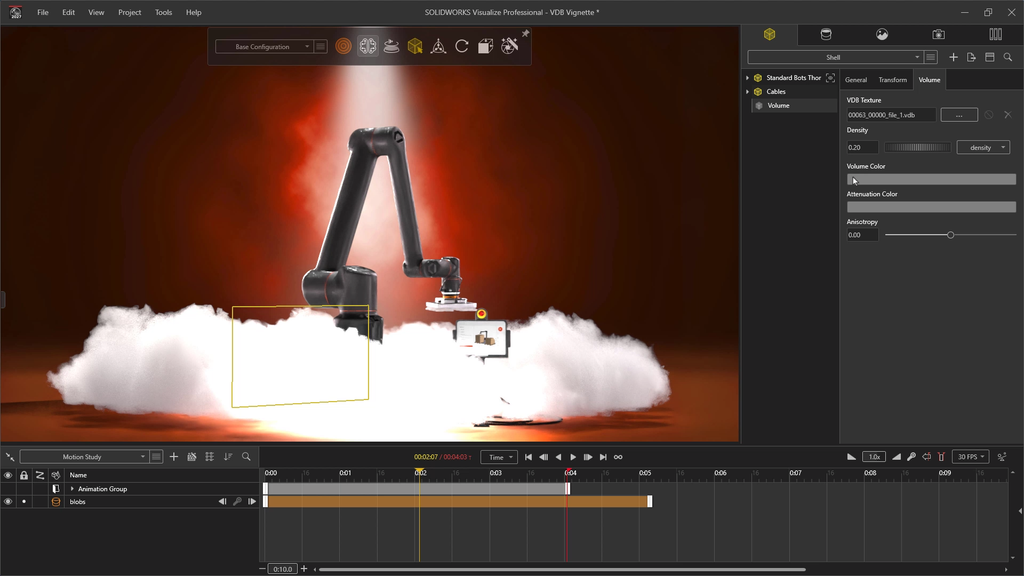
Build on the volumetric rendering capabilities introduced in SOLIDWORKS Visualize with support for importing custom shapes and densities using the OpenVDB format. Static files and animated VDB sequences enable more advanced visualizations of effects such as smoke, fluids, and other volumetric phenomena.
- UV Editor Enhancements
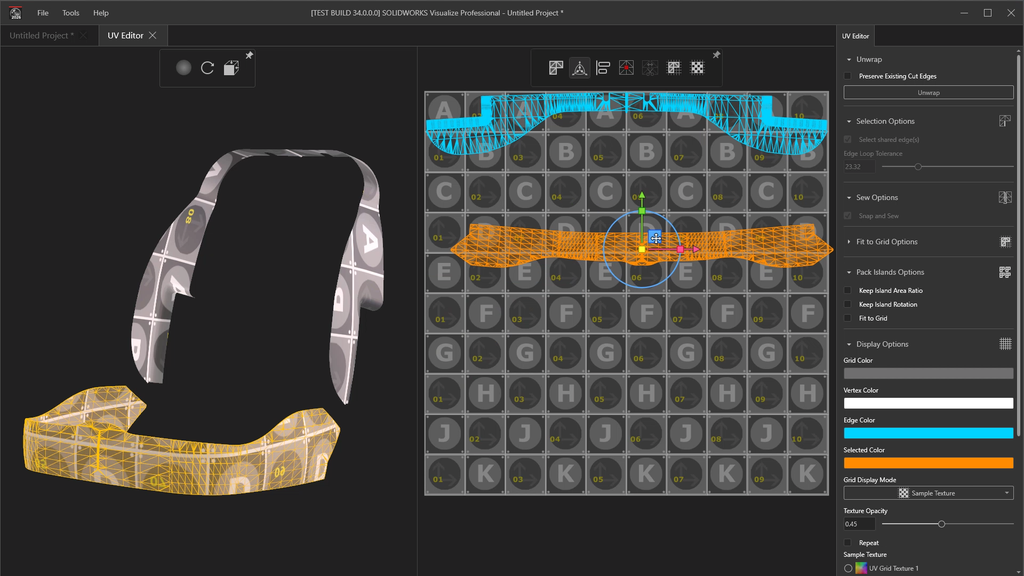
Gain finer control over texture mapping with improved seam placement and texture-stretch adjustments. These capabilities help achieve more accurate and realistic textures on complex geometry.
Conclusion
SOLIDWORKS 2027 continues to improve the design experience through AI-assisted workflows, more flexible modeling tools, enhanced assembly control, and better collaboration across the product lifecycle. Whether optimizing sheet metal layouts, managing configurable assemblies, or creating realistic visualizations, these enhancements help engineering teams streamline everyday tasks and work more effectively.
Guest post by BEACON India (SOLIDWORKS VAR India)
For SOLIDWORKS 2027 Offers and trials, contact the BEACON India Team