Discover how DriveWorks helps manufacturers automate SOLIDWORKS designs, streamline product configuration, eliminate engineering bottlenecks, and accelerate quote-to-manufacture processes.
Guest Post by Pruthu S Shastry, Application Engineer, BEACON India
What is DriveWorks? A Complete Guide to SOLIDWORKS Design Automation
In today’s manufacturing environment, customers expect highly customized products, faster delivery times, and accurate quotations. However, manually creating multiple design variations can overwhelm engineering teams and slow down business growth.
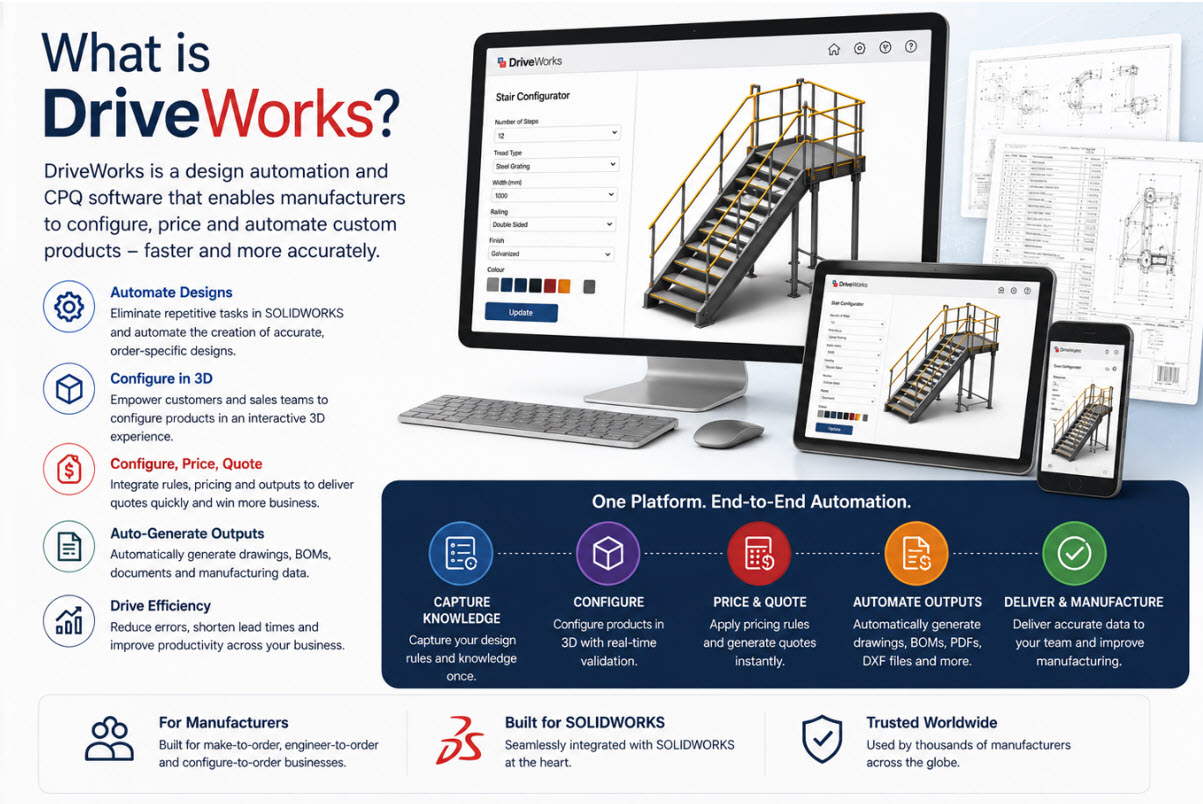
DriveWorks is a leading design automation and product configuration solution built specifically for SOLIDWORKS. It enables manufacturers to automate repetitive CAD tasks, generate custom product designs, create manufacturing documentation, and streamline the entire quote-to-order process. [driveworks.co.uk], [driveworks.co.uk]
By capturing engineering rules and product knowledge, DriveWorks helps organizations deliver customized products faster while reducing errors and engineering effort. [driveworks.co.uk], [seacadtech.com]
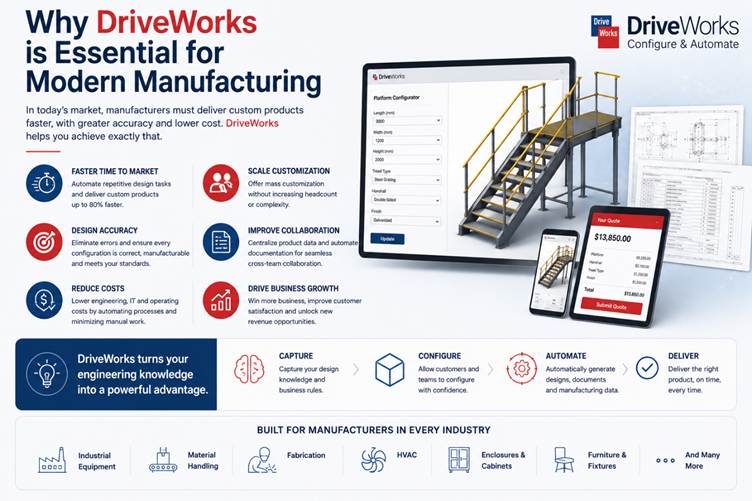
Why DriveWorks is Essential for Modern Manufacturing
Manufacturing companies that produce configurable or engineer-to-order products often face challenges such as:
- Long design cycles
- Repetitive CAD modifications
- Engineering bottlenecks
- Manual documentation creation
- Quote delays
- Costly design errors
DriveWorks addresses these challenges by automating design and configuration processes, allowing teams to focus on innovation rather than repetitive tasks. [driveworks.co.uk], [seacadtech.com]
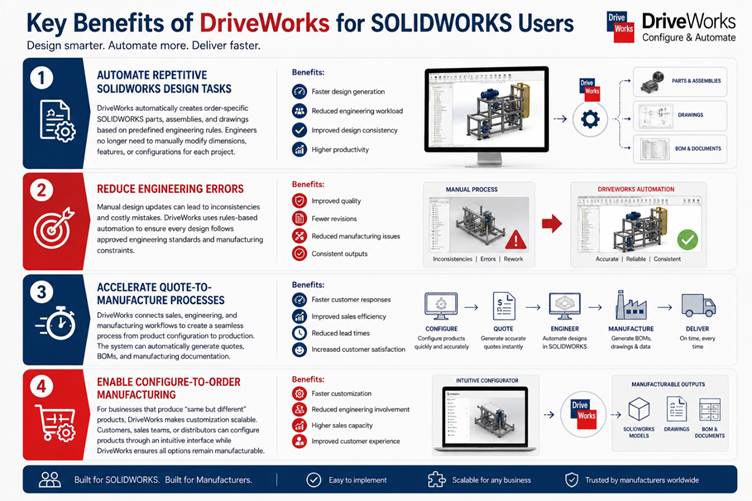
Key Benefits of DriveWorks for SOLIDWORKS Users
1. Automate Repetitive SOLIDWORKS Design Tasks
DriveWorks automatically creates order-specific SOLIDWORKS parts, assemblies, and drawings based on predefined engineering rules. Engineers no longer need to manually modify dimensions, features, or configurations for each project. [driveworks.co.uk], [mlc-cad.com]
Benefits:
- Faster design generation
- Reduced engineering workload
- Improved design consistency
- Higher productivity
2. Reduce Engineering Errors
Manual design updates can lead to inconsistencies and costly mistakes. DriveWorks uses rules-based automation to ensure every design follows approved engineering standards and manufacturing constraints. [driveworks.co.uk], [driveworks.co.uk]
Benefits:
- Improved quality
- Fewer revisions
- Reduced manufacturing issues
- Consistent outputs
3. Accelerate Quote-to-Manufacture Processes
DriveWorks connects sales, engineering, and manufacturing workflows to create a seamless process from product configuration to production. The system can automatically generate quotes, BOMs, and manufacturing documentation. [driveworks.co.uk], [mlc-cad.com]
Benefits:
- Faster customer responses
- Improved sales efficiency
- Reduced lead times
- Increased customer satisfaction
4. Enable Configure-to-Order Manufacturing
For businesses that produce “same but different” products, DriveWorks makes customization scalable. Customers, sales teams, or distributors can configure products through an intuitive interface while DriveWorks ensures all options remain manufacturable. [driveworks.co.uk], [hawkridgesys.com]
Benefits:
- Faster customization
- Reduced engineering involvement
- Higher sales capacity
- Improved customer experience
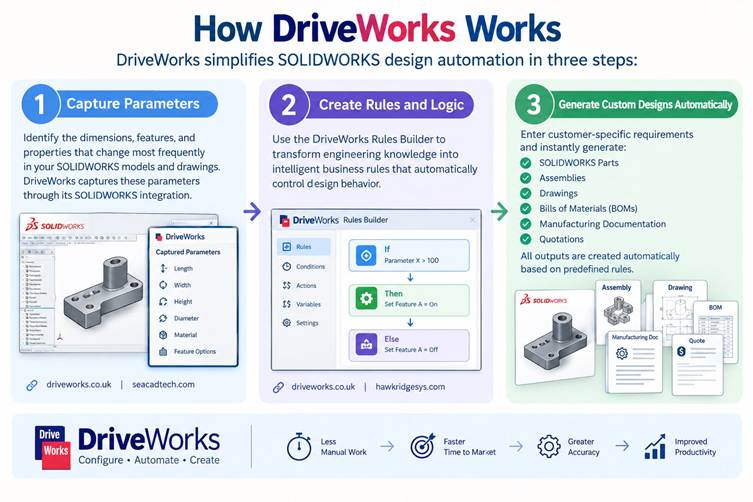
How DriveWorks Works
DriveWorks simplifies SOLIDWORKS design automation in three steps:
Step 1: Capture Parameters
Identify the dimensions, features, and properties that change most frequently in your SOLIDWORKS models and drawings. DriveWorks captures these parameters through its SOLIDWORKS integration. [driveworks.co.uk], [seacadtech.com]
Step 2: Create Rules and Logic
Use the DriveWorks Rules Builder to transform engineering knowledge into intelligent business rules that automatically control design behavior. [driveworks.co.uk], [hawkridgesys.com]
Step 3: Generate Custom Designs Automatically
Enter customer-specific requirements and instantly generate:
- SOLIDWORKS Parts
- Assemblies
- Drawings
- Bills of Materials (BOMs)
- Manufacturing Documentation
- Quotations
All outputs are created automatically based on predefined rules. [driveworks.co.uk], [mlc-cad.com]
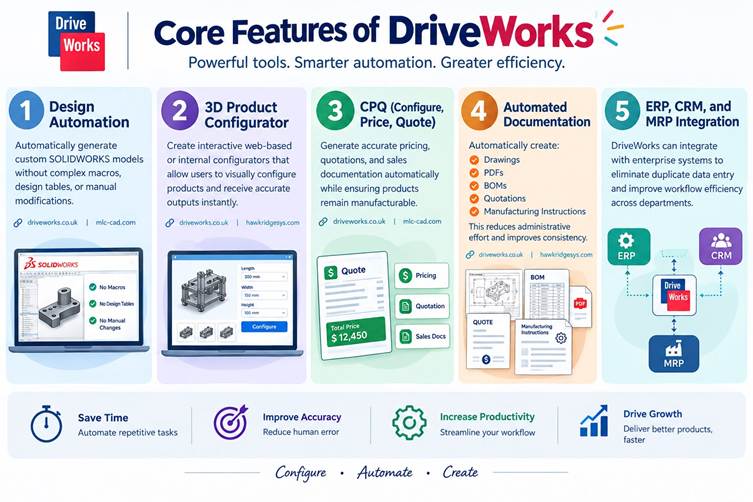
Core Features of DriveWorks
Design Automation
Automatically generate custom SOLIDWORKS models without complex macros, design tables, or manual modifications. [driveworks.co.uk], [mlc-cad.com]
3D Product Configurator
Create interactive web-based or internal configurators that allow users to visually configure products and receive accurate outputs instantly. [driveworks.co.uk], [hawkridgesys.com]
CPQ (Configure, Price, Quote)
Generate accurate pricing, quotations, and sales documentation automatically while ensuring products remain manufacturable. [driveworks.co.uk], [mlc-cad.com]
Automated Documentation
Automatically create:
- Drawings
- PDFs
- BOMs
- Quotations
- Manufacturing Instructions
This reduces administrative effort and improves consistency. [driveworks.co.uk], [hawkridgesys.com]
ERP, CRM, and MRP Integration
DriveWorks can integrate with enterprise systems to eliminate duplicate data entry and improve workflow efficiency across departments. [hawkridgesys.com]
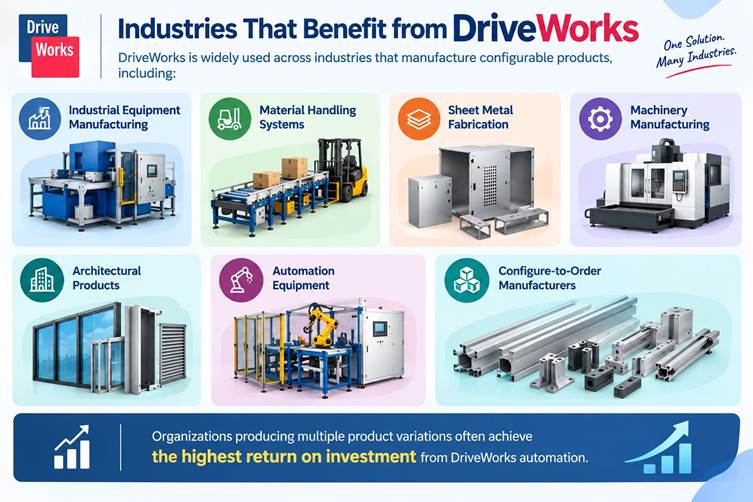
Industries That Benefit from DriveWorks
DriveWorks is widely used across industries that manufacture configurable products, including:
- Industrial Equipment Manufacturing
- Material Handling Systems
- Sheet Metal Fabrication
- Machinery Manufacturing
- Architectural Products
- Automation Equipment
- Engineer-to-Order Businesses
- Configure-to-Order Manufacturers
Organizations producing multiple product variations often achieve the highest return on investment from DriveWorks automation. [gsc-3d.com], [seacadtech.com]
DriveWorks vs Manual Design Processes
| Feature | Manual Design | DriveWorks |
| Design Time | Hours | Minutes |
| Error Rate | Higher | Significantly Lower |
| Documentation | Manual | Automated |
| Product Configuration | Limited | Unlimited |
| Scalability | Challenging | Highly Scalable |
| Quote Generation | Slow | Instant |
Why Companies Invest in DriveWorks
Manufacturers implementing DriveWorks commonly achieve:
- Improved engineering productivity
- Faster project turnaround
- Reduced design errors
- Accelerated sales cycles
- Increased throughput
- Enhanced customer experience
- Greater manufacturing efficiency
By automating repetitive design and configuration tasks, engineering teams can focus on innovation and complex problem-solving instead of routine modifications.
Conclusion
As manufacturing becomes increasingly customer-driven, businesses require technologies that enable rapid customization without sacrificing quality or profitability.
DriveWorks for SOLIDWORKS empowers manufacturers to automate design processes, streamline product configuration, accelerate quotation workflows, and improve manufacturing readiness. Whether you’re looking to eliminate repetitive CAD work, reduce engineering errors, or build a scalable configure-to-order business model, DriveWorks provides a proven solution.
Organizations that embrace design automation today will be better positioned to meet customer demands, increase operational efficiency, and gain a competitive advantage in the future.
Guest Post by Pruthu S Shastry, Application Engineer, BEACON India
Visit the BEACON India website for more details: https://beacon-india.com/