CAMWorks for SOLIDWORKS | Intelligent CAM & CNC Programming Software
Guest Post by Pruthu S Shastry, Application Engineer, BEACON India
What is CAMWorks? A Complete Guide to SOLIDWORKS CAM Software
Modern manufacturing companies are under increasing pressure to produce complex components faster, improve machining efficiency, reduce production costs, and maintain consistent quality.
However, traditional CNC programming processes can involve significant manual effort. Programmers often need to identify machining features, select tools, define machining strategies, generate toolpaths, and make adjustments for every new component.
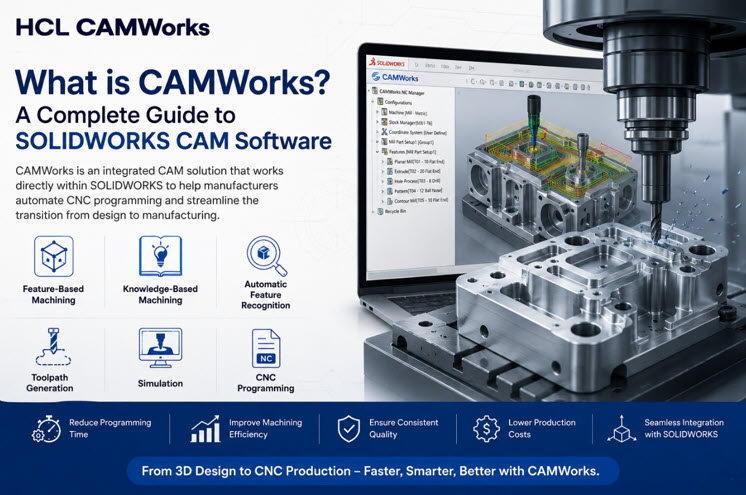
CAMWorks is an integrated CAM solution that works directly within SOLIDWORKS to help manufacturers automate CNC programming and streamline the transition from design to manufacturing.
CAMWorks combines feature-based machining, knowledge-based machining, automatic feature recognition, toolpath generation, simulation, and CNC programming to reduce repetitive programming work and improve manufacturing productivity.
By connecting CAD design and CAM programming in a single environment, CAMWorks helps manufacturers move from 3D design to CNC production more efficiently.
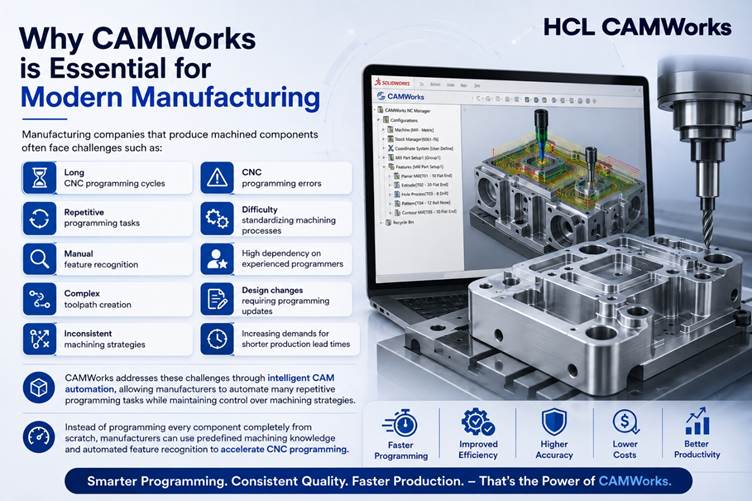
Why CAMWorks is Essential for Modern Manufacturing
Manufacturing companies that produce machined components often face challenges such as:
- Long CNC programming cycles
- Repetitive programming tasks
- Manual feature recognition
- Complex toolpath creation
- Inconsistent machining strategies
- CNC programming errors
- Difficulty standardizing machining processes
- High dependency on experienced programmers
- Design changes requiring programming updates
- Increasing demands for shorter production lead times
CAMWorks addresses these challenges through intelligent CAM automation, allowing manufacturers to automate many repetitive programming tasks while maintaining control over machining strategies.
Instead of programming every component completely from scratch, manufacturers can use predefined machining knowledge and automated feature recognition to accelerate CNC programming.
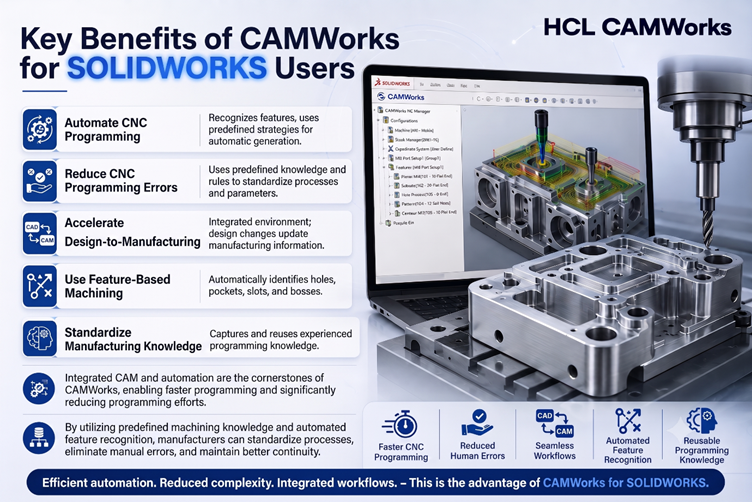
Key Benefits of CAMWorks for SOLIDWORKS Users
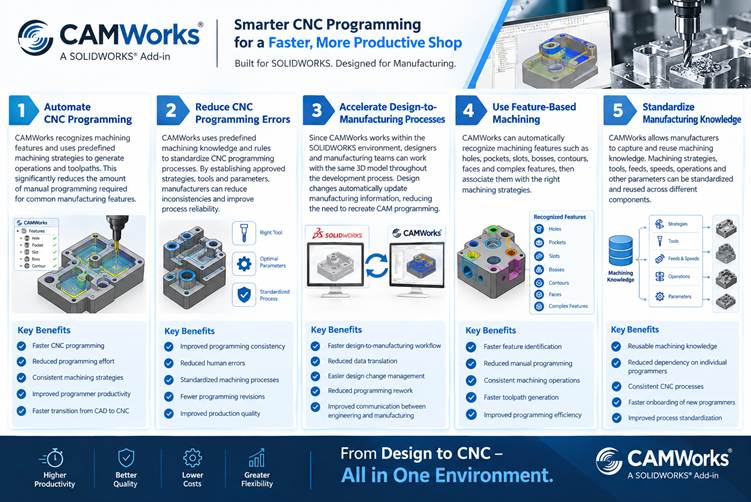
1. Automate CNC Programming
One of the key advantages of CAMWorks is its ability to automate repetitive CNC programming activities.
CAMWorks can recognize machining features and use predefined machining strategies to generate operations and toolpaths.
This can significantly reduce the amount of manual programming required for common manufacturing features.
Benefits:
- Faster CNC programming
- Reduced programming effort
- Consistent machining strategies
- Improved programmer productivity
- Faster transition from CAD to CNC
2. Reduce CNC Programming Errors
Manual programming can introduce errors through incorrect tool selection, machining parameters, feature identification, or toolpath definition.
CAMWorks uses predefined machining knowledge and rules to help standardize CNC programming processes.
By establishing approved machining strategies, tools, and parameters, manufacturers can reduce inconsistencies between programmers and improve process reliability.
Benefits:
- Improved programming consistency
- Reduced human errors
- Standardized machining processes
- Fewer programming revisions
- Improved production quality
3. Accelerate Design-to-Manufacturing Processes
Because CAMWorks works within the SOLIDWORKS environment, designers and manufacturing teams can work with the same 3D model throughout the development process.
When design changes occur, associated manufacturing information can be updated accordingly, reducing the need to recreate CAM programming from scratch.
Benefits:
- Faster design-to-manufacturing workflow
- Reduced data translation
- Easier design change management
- Reduced programming rework
- Improved communication between engineering and manufacturing
This integrated CAD/CAM approach helps manufacturers maintain better continuity between product design and CNC production.
4. Use Feature-Based Machining
Feature-based machining is one of the core capabilities of CAMWorks.
Instead of requiring programmers to manually define every machining feature, CAMWorks can recognize features such as:
- Holes
- Pockets
- Slots
- Bosses
- Contours
- Faces
- Complex machining features
The recognized features can then be associated with appropriate machining strategies.
Benefits:
- Faster feature identification
- Reduced manual programming
- Consistent machining operations
- Faster toolpath generation
- Improved programming efficiency
5. Standardize Manufacturing Knowledge
CAMWorks allows manufacturers to capture and reuse machining knowledge.
Machining strategies, tools, feeds, speeds, operations, and other manufacturing parameters can be standardized and reused across different components.
This allows companies to convert the knowledge of experienced CNC programmers into reusable manufacturing processes.
Benefits:
- Reusable machining knowledge
- Reduced dependency on individual programmers
- Consistent CNC processes
- Faster onboarding of new programmers
- Improved process standardization
How CAMWorks Works
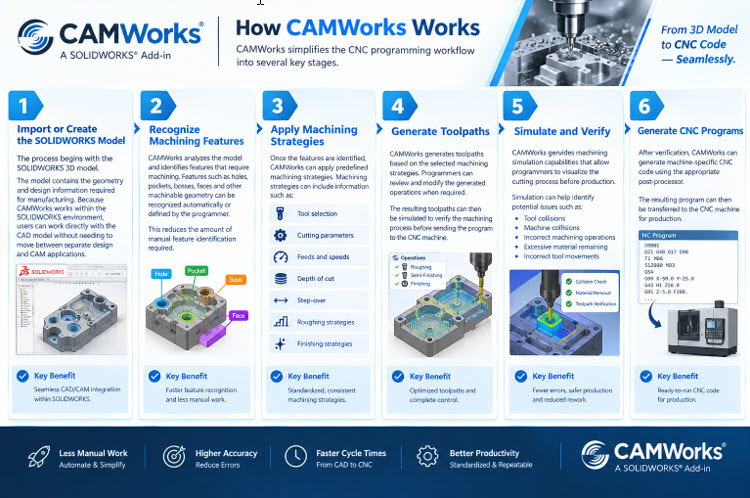
CAMWorks simplifies the CNC programming workflow into several key stages.
Step 1: Import or Create the SOLIDWORKS Model
The process begins with the SOLIDWORKS 3D model.
The model contains the geometry and design information required for manufacturing.
Because CAMWorks works within the SOLIDWORKS environment, users can work directly with the CAD model without needing to move between separate design and CAM applications.
Step 2: Recognize Machining Features
CAMWorks analyzes the model and identifies features that require machining.
Features such as holes, pockets, bosses, faces, and other machinable geometry can be recognized automatically or defined by the programmer.
This reduces the amount of manual feature identification required.
Step 3: Apply Machining Strategies
Once the features are identified, CAMWorks can apply predefined machining strategies.
Machining strategies can include information such as:
- Tool selection
- Cutting parameters
- Feeds and speeds
- Depth of cut
- Step-over
- Roughing strategies
- Finishing strategies
This allows manufacturers to standardize how different features are machined.
Step 4: Generate Toolpaths
CAMWorks generates toolpaths based on the selected machining strategies.
Programmers can review and modify the generated operations when required.
The resulting toolpaths can then be simulated to verify the machining process before sending the program to the CNC machine.
Step 5: Simulate and Verify
CAMWorks provides machining simulation capabilities that allow programmers to visualize the cutting process before production.
Simulation can help identify potential issues such as:
- Tool collisions
- Machine collisions
- Incorrect machining operations
- Excessive material remaining
- Incorrect tool movements
This helps reduce the risk of errors reaching the shop floor.
Step 6: Generate CNC Programs
After verification, CAMWorks can generate machine-specific CNC code using the appropriate post-processor.
The resulting program can then be transferred to the CNC machine for production.
Core Features of CAMWorks
Feature-Based Machining
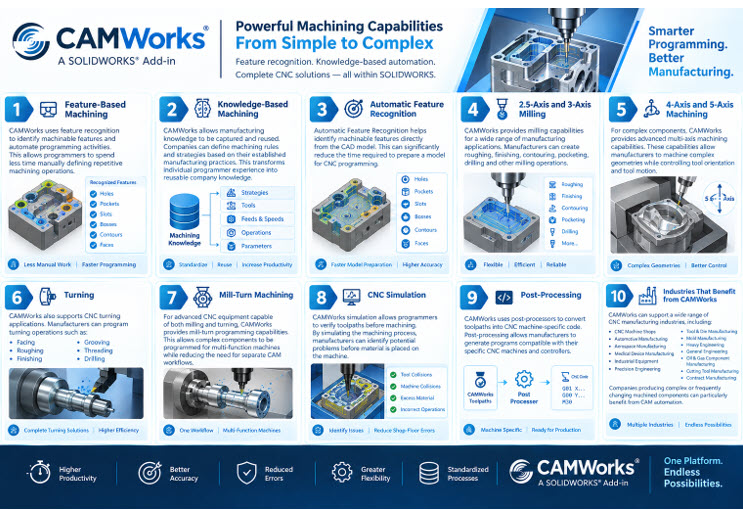
CAMWorks uses feature recognition to identify machinable features and automate programming activities.
This allows programmers to spend less time manually defining repetitive machining operations.
Knowledge-Based Machining
CAMWorks allows manufacturing knowledge to be captured and reused.
Companies can define machining rules and strategies based on their established manufacturing practices.
This transforms individual programmer experience into reusable company knowledge.
Automatic Feature Recognition
Automatic Feature Recognition helps identify machinable features directly from the CAD model.
This can significantly reduce the time required to prepare a model for CNC programming.
2.5-Axis and 3-Axis Milling
CAMWorks provides milling capabilities for a wide range of manufacturing applications.
Manufacturers can create roughing, finishing, contouring, pocketing, drilling, and other milling operations.
4-Axis and 5-Axis Machining
For complex components, CAMWorks provides advanced multi-axis machining capabilities.
These capabilities allow manufacturers to machine complex geometries while controlling tool orientation and tool motion.
This is particularly useful for industries producing complex components and intricate geometries.
Turning
CAMWorks also supports CNC turning applications.
Manufacturers can program turning operations such as:
- Facing
- Roughing
- Finishing
- Grooving
- Threading
- Drilling
This enables manufacturers to address both milling and turning requirements within their CAM environment.
Mill-Turn Machining
For advanced CNC equipment capable of both milling and turning, CAMWorks provides mill-turn programming capabilities.
This allows complex components to be programmed for multi-function machines while reducing the need for separate CAM workflows.
CNC Simulation
CAMWorks simulation allows programmers to verify toolpaths before machining.
By simulating the machining process, manufacturers can identify potential problems before material is placed on the machine.
This helps improve machining confidence and reduce costly shop-floor errors.
Post-Processing
CAMWorks uses post-processors to convert toolpaths into CNC machine-specific code.
Post-processing allows manufacturers to generate programs compatible with their specific CNC machines and controllers.
Industries That Benefit from CAMWorks
CAMWorks can support a wide range of CNC manufacturing industries, including:
- CNC Machine Shops
- Automotive Manufacturing
- Aerospace Manufacturing
- Medical Device Manufacturing
- Industrial Equipment
- Precision Engineering
- Tool & Die Manufacturing
- Mold Manufacturing
- Heavy Engineering
- General Engineering
- Oil & Gas Component Manufacturing
- Cutting Tool Manufacturing
- Contract Manufacturing
Companies producing complex or frequently changing machined components can particularly benefit from CAM automation.
CAMWorks vs Traditional CNC Programming
| Feature | Traditional CNC Programming | CAMWorks |
| Feature Recognition | Manual | Automated |
| CNC Programming | Highly Manual | Automated/Knowledge-Based |
| Machining Strategies | Programmer Dependent | Standardized |
| Toolpath Creation | Manual | Automated |
| Design Changes | Reprogramming Often Required | Integrated CAD/CAM Workflow |
| Manufacturing Knowledge | Individual Programmer | Reusable Knowledge |
| Simulation | Separate/Manual Process | Integrated |
| Programming Consistency | Variable | Standardized |
| Complex Machining | More Programming Effort | Advanced CAM Strategies |
| CNC Code Generation | Manual/Separate CAM | Automated Post-Processing |
Why Companies Invest in CAMWorks
Manufacturers implementing CAMWorks can achieve improvements such as:
- Faster CNC programming
- Improved programmer productivity
- Reduced repetitive work
- More consistent machining processes
- Reduced programming errors
- Better utilization of manufacturing knowledge
- Faster design-to-production cycles
- Improved toolpath quality
- Reduced setup and programming time
- Greater manufacturing flexibility
By automating repetitive CNC programming activities, experienced programmers can focus more on process optimization, complex machining challenges, and improving overall manufacturing performance.
Beyond Toolpaths: The Value of Intelligent CAM
Modern CAM software is no longer simply about generating toolpaths.
The real value comes from using manufacturing intelligence to make CNC programming faster, more consistent, and more scalable.
CAMWorks helps manufacturers move beyond manually creating individual toolpaths by allowing them to establish reusable machining knowledge and automate programming decisions.
This creates a more intelligent manufacturing workflow where:
CAD Model → Feature Recognition → Machining Knowledge → Toolpaths → Simulation → CNC Program
Instead of treating every component as a completely new programming task, manufacturers can build a repeatable and standardized process.
Conclusion
As manufacturers face increasing pressure to produce complex components faster while controlling costs and maintaining quality, traditional CNC programming methods can become a significant bottleneck.
CAMWorks for SOLIDWORKS provides an intelligent CAM solution that connects CAD design with CNC manufacturing and helps automate the programming process.
From feature recognition and knowledge-based machining to toolpath generation, simulation, multi-axis machining, and CNC code generation, CAMWorks helps manufacturers improve the complete design-to-production workflow.
Whether your objective is to reduce CNC programming time, standardize machining processes, minimize programming errors, reuse manufacturing knowledge, or improve overall shop-floor productivity, CAMWorks provides the tools needed to build a more efficient CAM process.
For manufacturers looking to move beyond manual toolpaths and toward intelligent CNC programming, CAMWorks provides a powerful path toward smarter, faster, and more consistent manufacturing.

Visit the BEACON website for details: https://beacon-india.com/