SHEFFIELD, UK, Oct 1, 2026 – MachineWorks Ltd, a leading supplier of software components to the engineering industry, is pleased to announce a preview of major functionality planned for the upcoming MachineWorks 8.9 release.
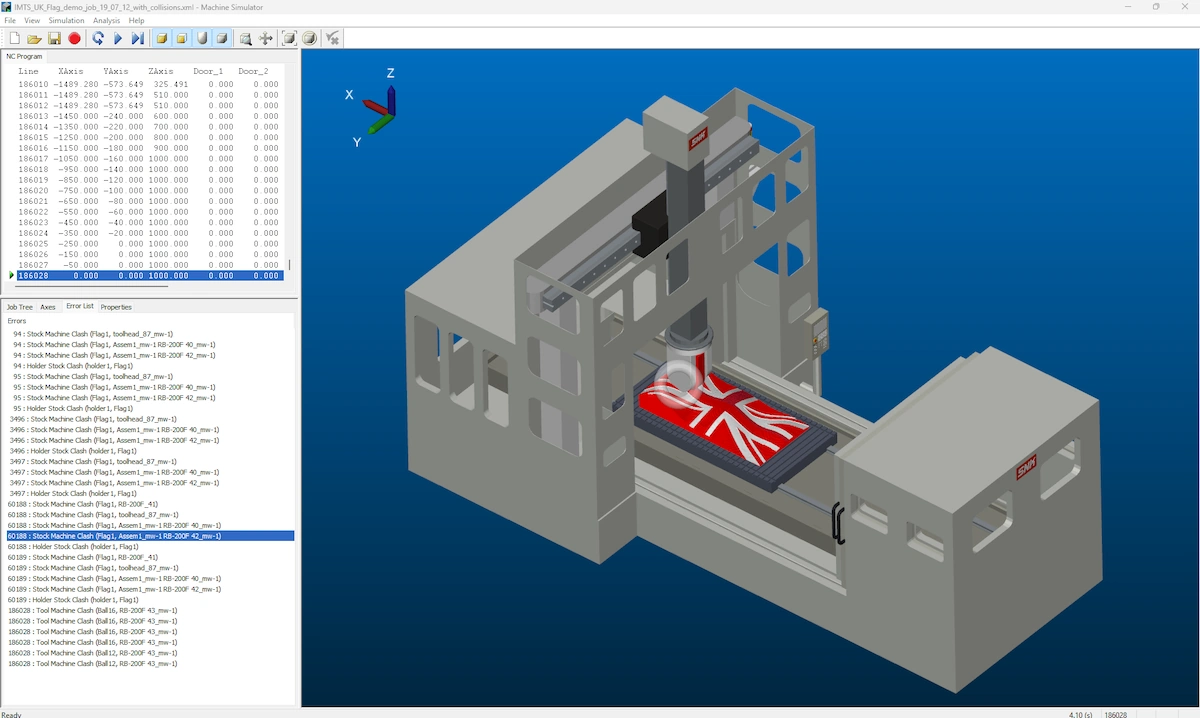
GPU-Powered Machine Simulation
MachineWorks 8.8 supports material removal operations on the GPU, including support for tool and holder clashes with the in-process stock. With appropriate hardware, MachineWorks GPU offers orders of magnitude performance improvements over performing similar operations on the CPU.
In MachineWorks 8.9, GPU simulation is extended to support calculation of kinematics and collision detection of the full machine environment on the GPU with, for many operations, similar levels of performance improvement over the equivalent CPU-based operation.
MachineWorks’ users will be able to verify that large complex jobs on complex machines are clash free within seconds or minutes, as opposed to tens of minutes or even hours.
In addition, by combining MachineWorks’ existing in-process stock bookmarking mechanism, Snapshots, with the high processing power of the GPU, users can recompute the in-process stock at any point in the job within seconds. This enables visual clash replay, allowing an operator to efficiently explore and understand why a clash is occurring and to identify an appropriate solution.
Head to the MachineWorks YouTube channel for a demonstration of GPU-based machine simulation using MachineWorks GPU.
MachineWorks Recordings Reference Application
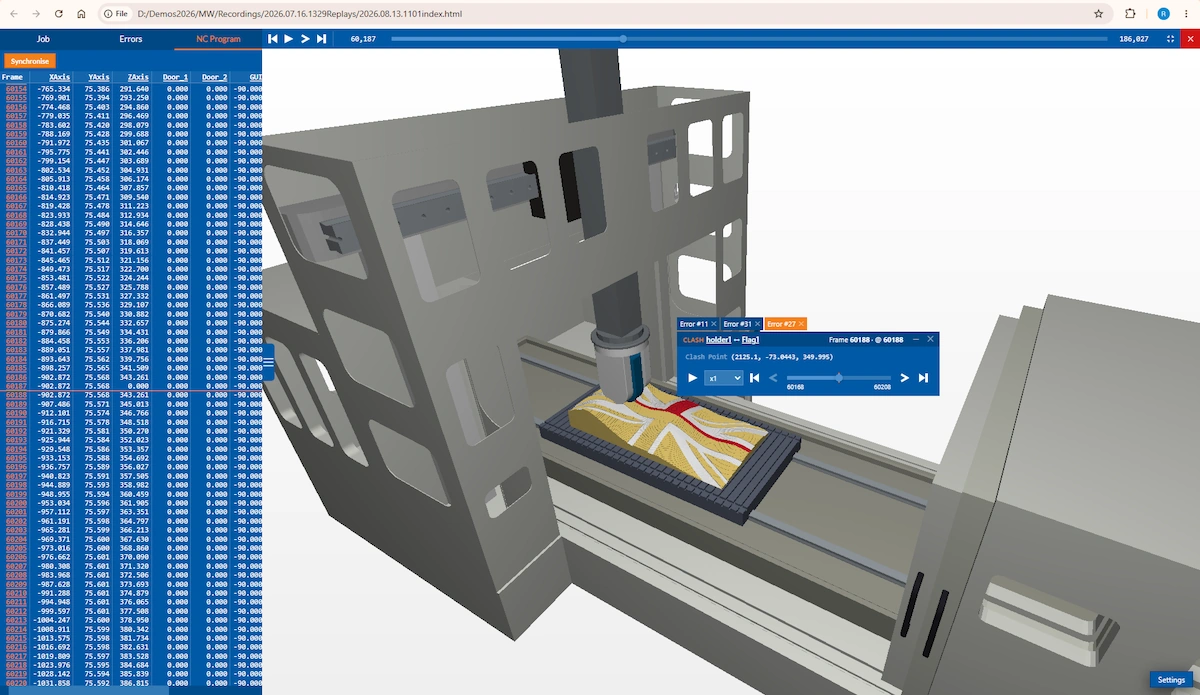
MachineWorks Recordings capture the machine kinematics and in-process stock geometry created during a 3D simulation in an efficient form, using incremental geometry updates and advanced 3D compression. The resulting recording file can then be reviewed and replayed with no requirement for a live-connection to core MachineWorks libraries.
In MachineWorks 8.8 significant performance improvements were made to the playback of recordings, allowing large jobs on complex machines to be reviewed in seconds on a standard laptop.
For MachineWorks 8.9 a new reference application has been created to demonstrate how geometry in the recording can be linked to metadata, such as clash or toolpath information, to produce an advanced offline simulator based entirely on the recording file.
The MachineWorks mwclient library does not depend on the core of MachineWorks and supplies a common interface for the replay of recordings for both C and Javascript, along with an in-built graphics engine. This allows easy integration of recording playback into both desktop and web applications, or even as a fast review feature in the host application that generated the original recording.
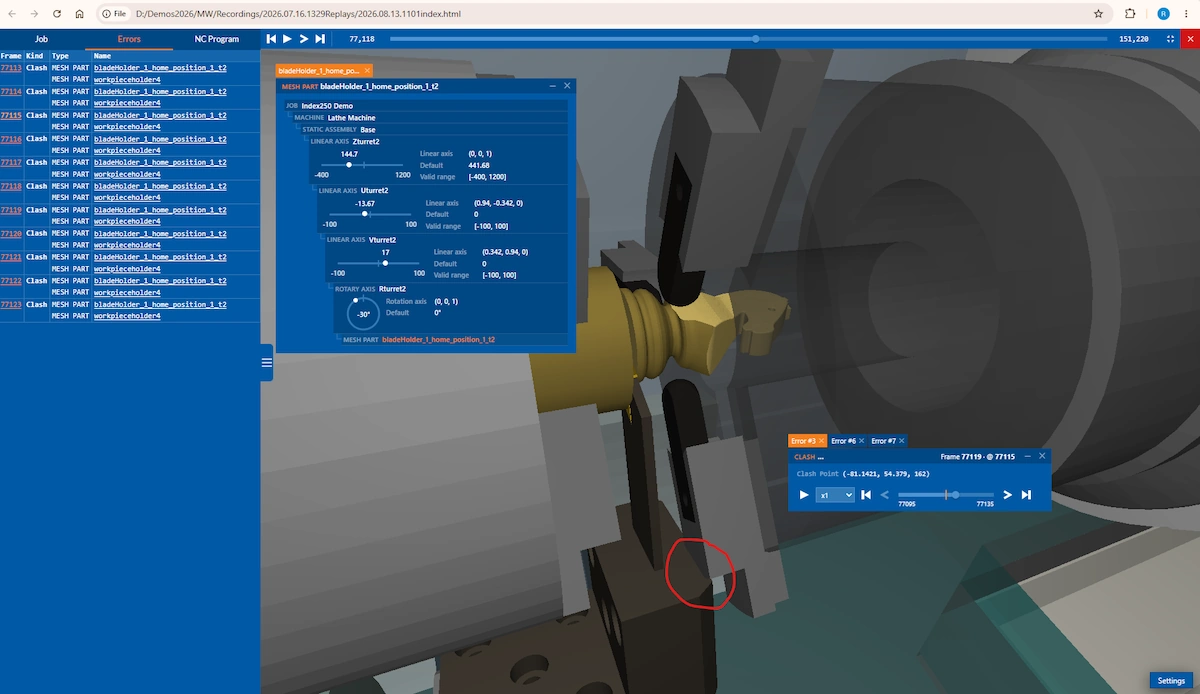
The mwclient interface also supports incremental extraction of geometry so that the recording can be replayed into the host’s own graphical scenes, rather than relying on the graphics engine provided.
The MachineWorks Recordings reference application is a web app based on the web assembly version of the mwclient library, javascript and React. A sidecar file is used to store metadata such as information about the machine assembly, parts and kinematic tree, tool and toolpath definitions and error information such as clashes or axis violations. The reference app’s review function allows a user to quickly move to and review any point in the toolpath e.g. a selected clash, in seconds.
The reference application will be supplied in both binary and source code form and will be available to interested customers prior to the official MachineWorks 8.9 release.
A demonstration of the new MachineWorks Recordings reference app can be found on the MachineWorks YouTube channel.
About MachineWorks Ltd
MachineWorks Ltd has been providing advanced 3D software engines to manufacturers and engineering software developers since 1994.
MachineWorks is the leading toolkit for CNC simulation and verification and is supplied embedded within a wide range of brands from major machine tools and CNC controller manufacturers and CAM software vendors. With over fifty major OEM licensees, Polygonica is the leading engine for polygon-mesh modelling and is widely used in a range of markets, including CAD, CAM, CAE, and AM, along with Medical, Dental, EDA, Metrology, AEC, Construction, Mining, and other large capital asset industries.
Companies who integrate MachineWorks’ components into their software solutions include Dassault Systemes, Autodesk, Hexagon MI, ANSYS, Synopsys, AECOM, 3D Systems, Stratasys, OpenMind, CAMBRIO, Desktop Metal, Nexa3D, Heidenhain, Okuma, DMG Mori, HCL, SolidCAM, Convergent Science, SimScale, Topsolid, ZWSoft, Diota, CASTOR, CADS Additive, Intech Additive Solutions, and Go2CAM. For more information, visit www.machineworks.com or www.polygonica.com.